Add Additional Functionality to Source Fields
You can perform this task if you are a WebEOC Full Admin or belong to JX User Groups with Dashboard Builder permission enabled.
You can add functionality to fields in a data source.
To add functionality to fields in a source
-
In the main menu, click Juvare Analyze. The Dashboards page opens.
-
Click the Sources tab and click the name of the source containing the fields you want to update. The Create New Source page opens.
-
Click the Fields tab.
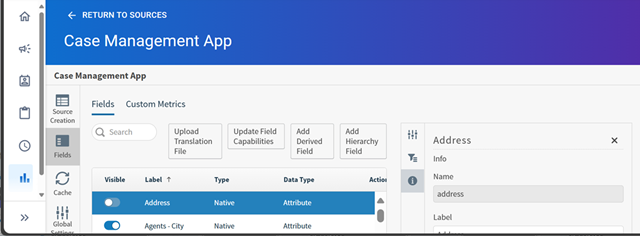
Do one of these actions:
-
Upload a translations file. See Upload a Translations File for a Source.
-
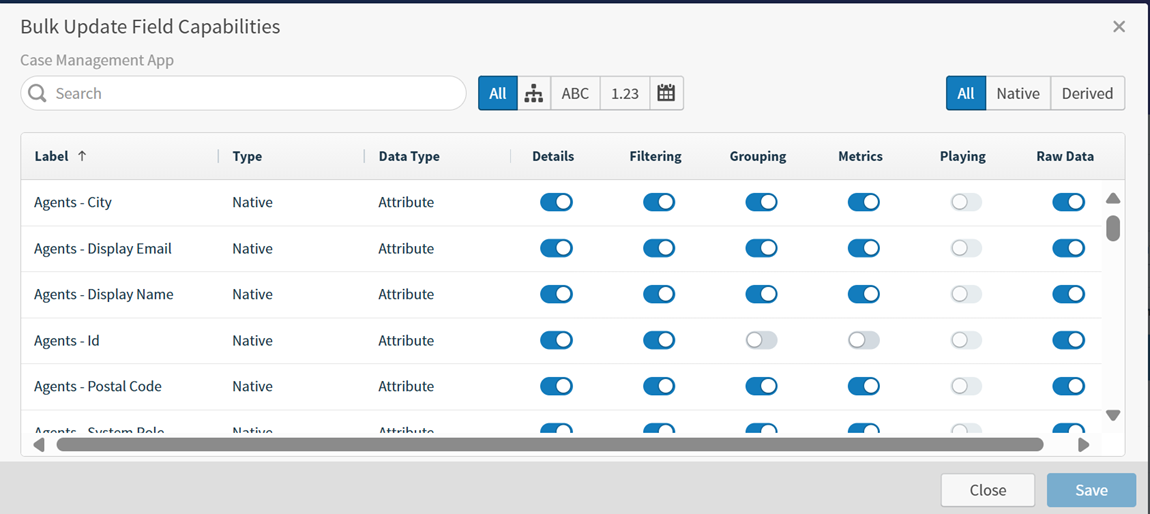
Update field capabilities, such as filtering, grouping, and metrics. This will allow you to determine availability of data sets when users create visuals and dashboards. See Update Field Capabilities.
-
Add derived fields. See Derived Field Editor for more information.
-
Add hierarchy fields. See Define a Hierarchy Field for Your Source.
-
Related Concepts
Related Tasks