Test Certificate Connection
After you upload a certificate, you can test the connection to verify that it is working properly.
To test the connection
-
In the main menu, click the integrations icon
 . The Integrations page opens.
 -
Click the IPAWS Messaging tab.
-
Click Test Connection in the upper right. If the connection is successful, a success message appears.
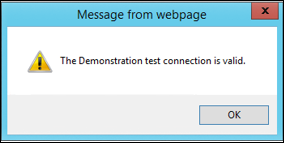
If you receive a message that the connection has not been established, contact your administrator or Juvare Support.
Connection Availability
Occasionally, the connection to the IPAWS Integrated Public Alert and Warning System. A simple, flexible tool that can be used by the alerting authorities to send emergency messages to the general public demonstration environment is temporarily unavailable due to maintenance or other reasons internal to FEMA. During this time, WebEOC Nexus is not able to send and receive messages or update and cancel sent messages. No action is required on your part, and the system resumes normal operation when the downtime is over.
If the connection is unavailable, WebEOC Nexus displays a message to notify you. Administrators can see this warning when they open the Administration section of IPAWS Messaging. For users, the warning appears in the upper right corner of every page. When the connection becomes available, the warning changes to the mode indicator.