Filter Maps
The VRI map can be filtered to show assets, threats, events, and SOS occurrences. Access the map filters by clicking on the arrow in the center right side of the map. The filter slideout opens.
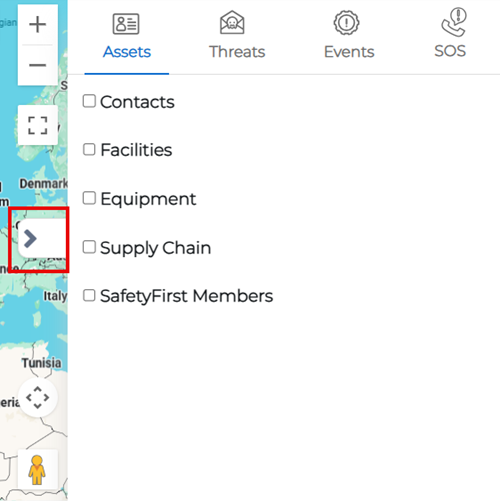
To filter the VRI map, follow the instructions by expanding the headings below.
 Assets
-
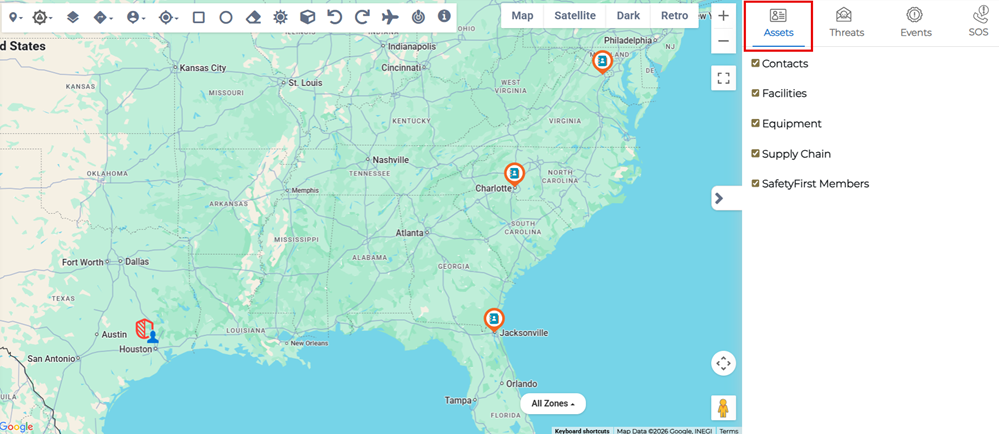
In the map filters slideout, click the Assets tab.
-
Select one or more of the asset types from the filter list:
-
Contacts
-
Facilities
-
Equipment
-
Supply Chain
-
SafetyFirst Members
These asset types display on the map as icons or, in the case of supply chain assets, as lines between assets. Clicking on an asset icon displays a pop-up window with information related to the asset.
For more information about asset types, refer to Critical Assets.
-
Threats
-
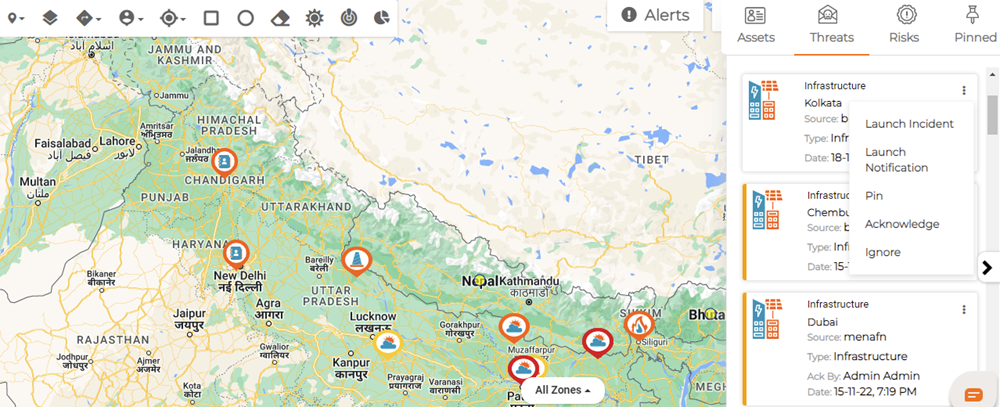
In the map filters slideout, click the Threats tab. This tab displays the threats near any assets.
-
Review the threats in the list.
Respond to a Threat
With the Threats menu open, you can review the list of threats and respond to individual threats by clicking the more options button for the specific threat then selecting a response from the options menu. In response to the threat, you can:
-
Launch an Incident
-
Launch a Notification
-
Pin the threat for future reference
-
Acknowledge the threat
-
Ignore the threat
Launch an Incident
If the threat is developing and it's clear you need to launch an incident:
-
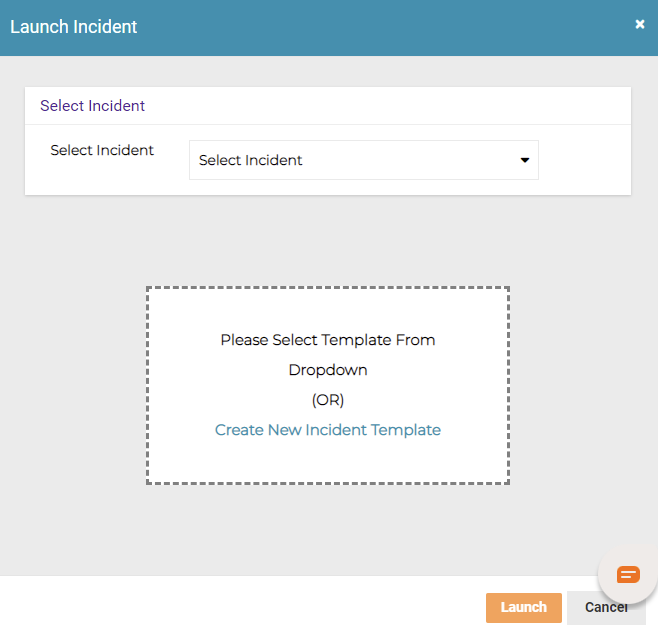
Click Launch Incident. The Launch Incident dialog opens.
-
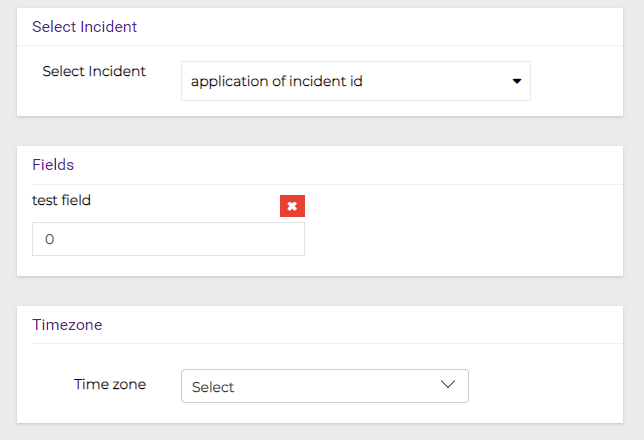
Select an incident template from the dropdown menu.
-
When you have chosen an incident template, dynamic fields appear requesting additional information. Enter the required information for:
-
Fields
-
Timezone
-
-
Click Launch.
Create a New Incident Template
-
Click Launch Incident. The Launch Incident dialog opens.
-
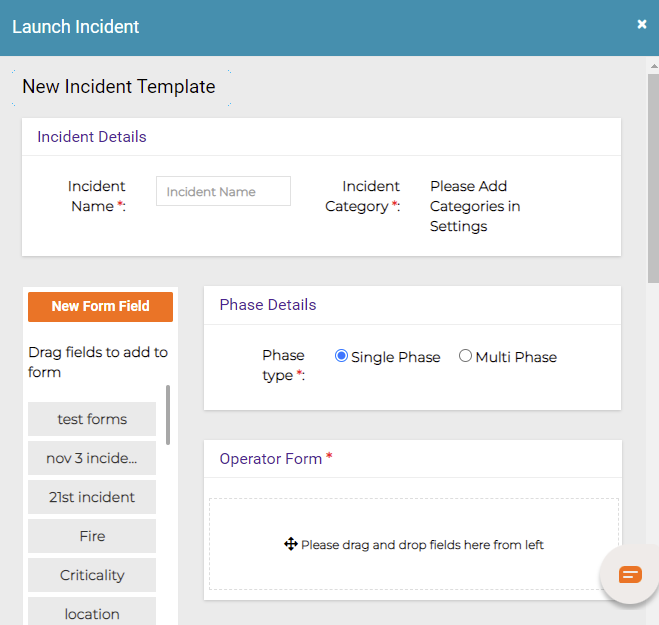
Click Create New Incident Template to create a new incident.
-
Enter the Incident Name and select an Incident Category from the categories provided.
-
Select a Phase Type.
-
Drag the required form fields that should appear when this incident is selected from the list for future threat responses to the Operator Form panel on the right.
-
Click Submit. Any newly created templates must be approved before they can be launched.
Launch a Notification
Incident notification is the process of recording and notifying users of work site events, such as accidents or events that may cause injuries or damage to property and equipment.
-
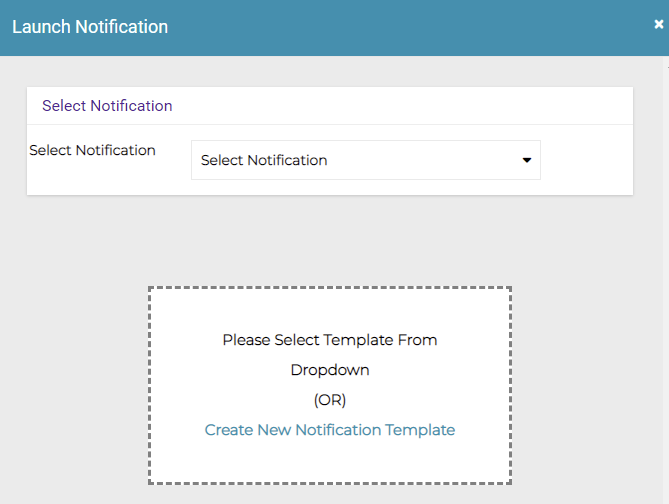
Click Launch Notification. The Launch Notification dialog opens.
-
Select a notification from the dropdown menu.
-
Click Launch.
Create a New Notification Template
-
Click Launch Notification. The Launch Notification dialog opens.
-
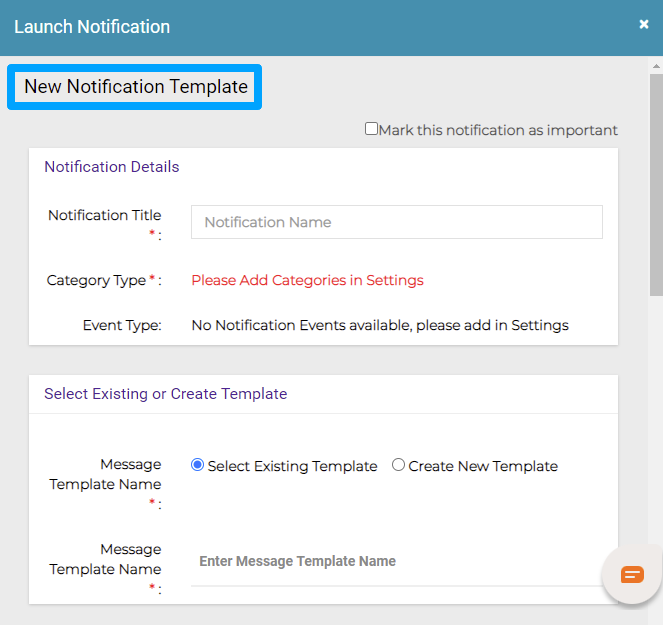
Click Create New Notification Template to create a new notification.
-
Enter the Notification Title then select whether you want to mark the notification as important by checking the box at the top of the dialog.
-
Select a Category Type from the categories provided and an Event Type from the events provided.
-
Specify whether the template is based on an existing template or whether you are creating a new template.
-
If you selected existing template, enter the Message Template Name of the template.
-
Click Submit. Launch the template to proceed with creating the new notification using this template.
Pin Threat
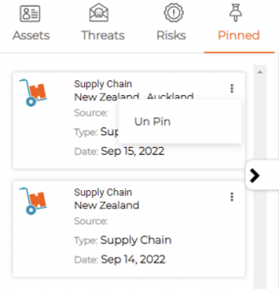
You can pin and track the incidents in the threat list to refer to in future in the Pinned tab. If the threat no longer needs to be prominent, open the Pinned tab, click the more options menu for the pinned threat, and click Unpin.
Acknowledge Threat
In the more options menu, click Acknowledge to mark that the threat has been noted. Once acknowledged, the threat displays the tag “Acknowledged By” with the name of the user who acknowledged it in the details.
Ignore Threat
In the more options menu, click Ignore if the threat is of no harm or negligible impact.
Events
Critical Events are unforeseen or unexpected occurrences triggered that can cause losses for an organization and its stakeholders. Fires, floods, earthquakes, hurricanes and other natural disasters, cyber attacks, terror attacks, and pandemics are all instances of critical events.
-
In the map filters slideout, click the Threats tab. This tab displays the threats near any assets.
-
Click the Risks icon. This shows the various Risk Event Categories to populate the respective Risk Details on the map:
-
Crime
-
Weather
-
Natural Disaster
-
HAZMAT Fire
-
Infectious Disease
-
Terrorism
-
Civil Unrest
-
-
Click on a Risk Event on the map to view the Risk Event preview.
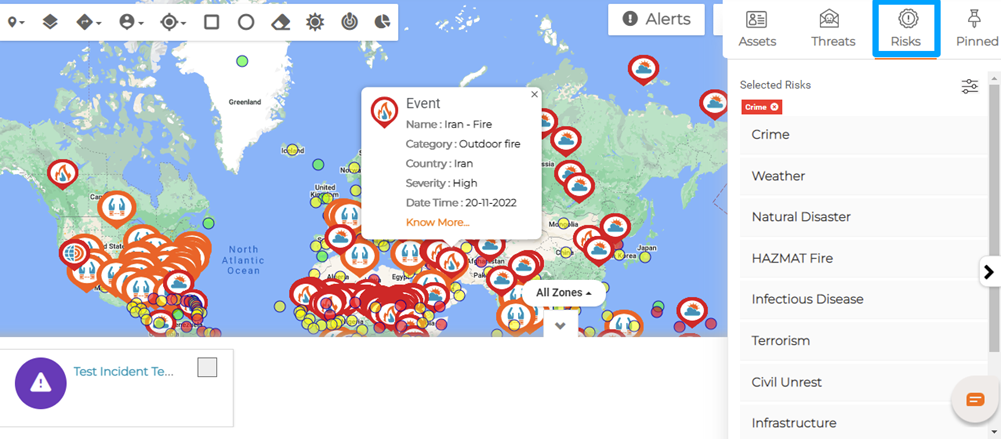
Launched notifications and incidents can be checked using the Incident / Notification Zones under the All Zones option appearing at the bottom of the map.
Related Concepts