Navigate Juvare Exchange (JX)
To access JX, in the WebEOC Nexus User View, in the main menu, click the JX Networks icon.
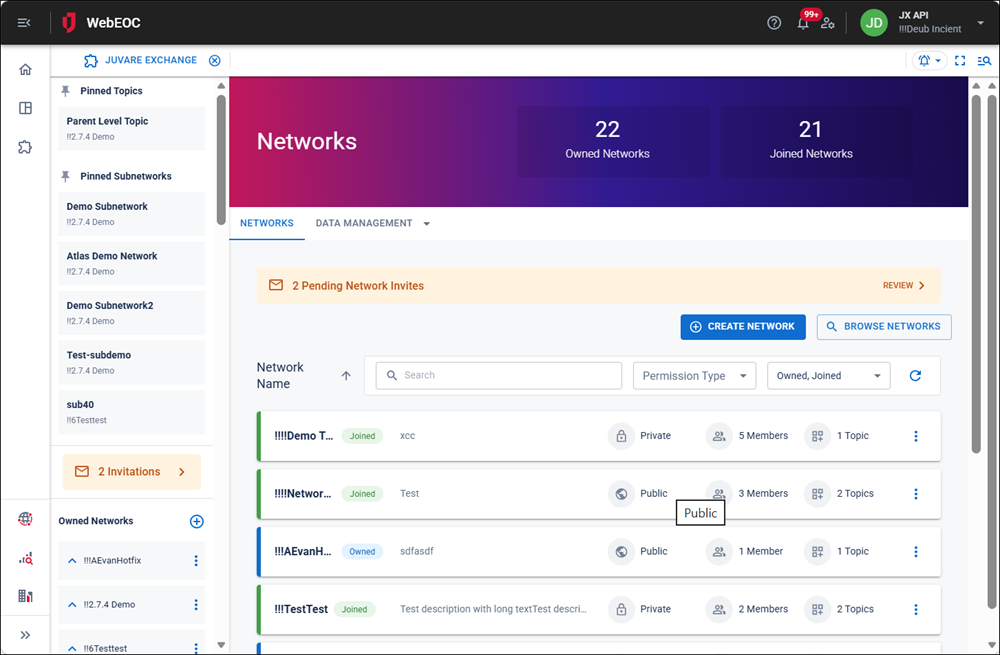
The Side Nav displays on the left, and contains the following items:
-
Pinned chat topics, if chats have been pinned. See Create and Manage Chat Topics for details.
-
Pinned Subnetworks, if subnetworks have been pinned.
-
Pending Network Invites, if any exist. See View and Manage Network Invitations for details.
-
The Owned Networks area, listing all networks you own.
-
The Joined Networks area, listing networks you joined.
The Networks page displays to the right of the Side Nav. This page displays the Networks tab,
In the main menu, click the JX Directory icon  . The Directory page opens.
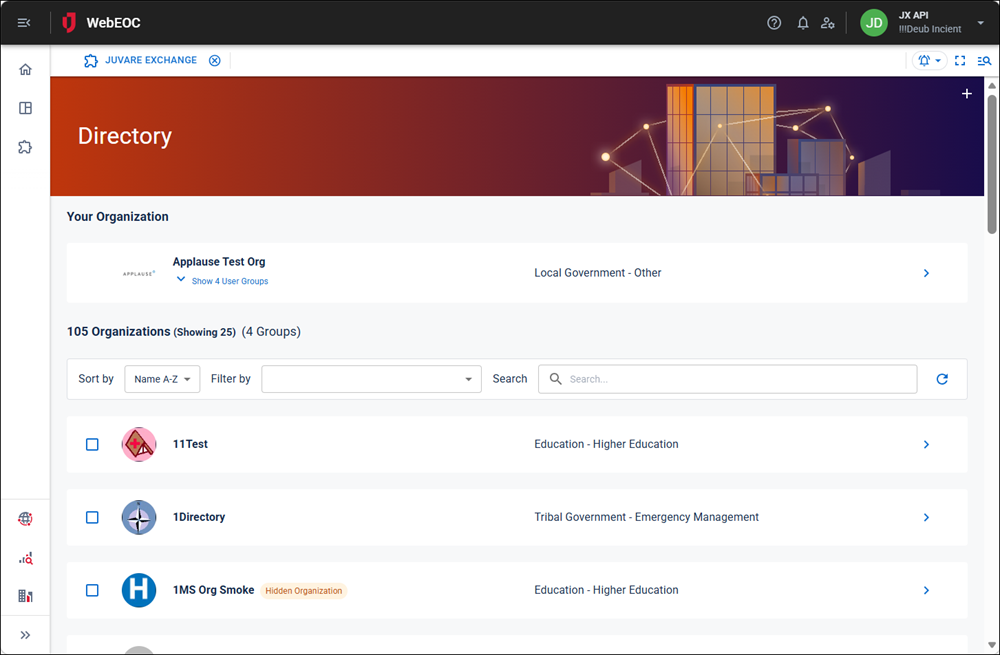
This page allows users to view all organizations in JX.