Manage Feature Services
Click Disabled in the Sync column of the Feature Service table to enable information syncing between WebEOC Nexus and ArcGIS.
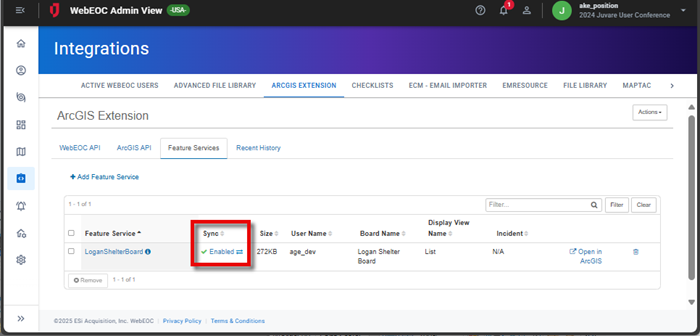
The value changes to Enabled, which you can disable by clicking the value again.
Temporarily disabling the syncing of information can be beneficial:
-
For administrators making changes to a board, limiting the reflection of several intermediate changes.
-
Since halting data changes can save network bandwidth and reduce overall sync time.
-
If a Feature Service only needs to be synced for a limited time, such as during a drill.
Clean Up Deleted Feature Services
If Feature Services on the Feature Services tab were not permanently removed from the database after you deleted them on this tab, select Actions > Clean Up Feature Services.
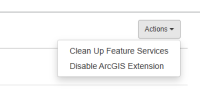
A confirmation message displays. Click Yes.