Create a Message Template
A message template contains settings, content format, and design elements that are applied to frequently used communications to provide a uniform and standard format.
A message template eliminates the need to re-create the communication from scratch, and each template can be modified and used repeatedly.
To create a message template
-
On the main menu, click
 Message Template. The Message Templates page opens.
 -
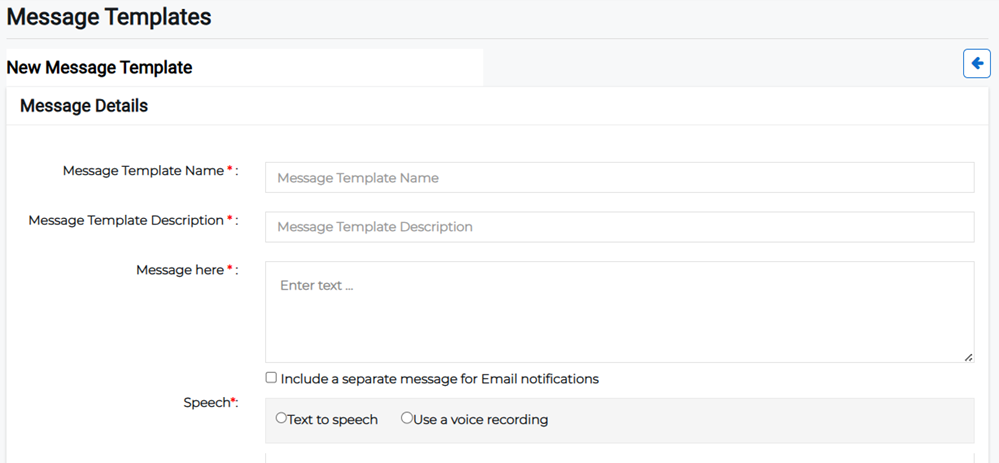
Click the Create Template button in the upper right. The New Message Template page opens.
-
Enter the template details:
-
Message Template Name: Enter the name of the message template.
-
Message Template Description: Enter a short description of what the template should be used for.
-
Message: Enter the message that will be sent when using the template. Enable the checkbox beneath the message if you want to include a separate message for email notifications.
-
Speech: Specify whether the message will be sent as text-to-speech or whether a recorded voice message will be used.
-
If you choose Text to speech, the Get Audio button appears to allow you to generate an audio file from what you've written.
-
If you choose Use a voice recording, the Record button appears to allow you to record the message.
-
-
-
Click Save if you want to save a draft template to edit later or Submit to finish.