These notes describe the updates introduced in the Juvare Exchange (JX) 2.7.5 release scheduled for June 11, 2026. More information is available through your solution or by contacting the Juvare Support Center at +1 (877) 771-0911 or support@juvare.com.
Enhancements
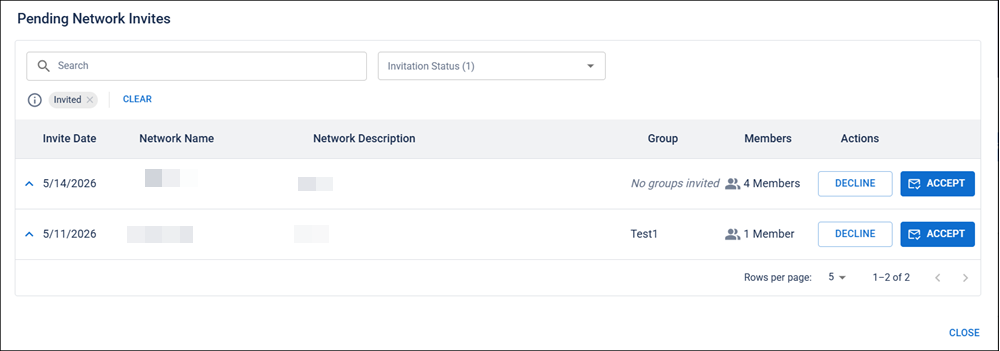
Pending Network Invites Modal Redesign
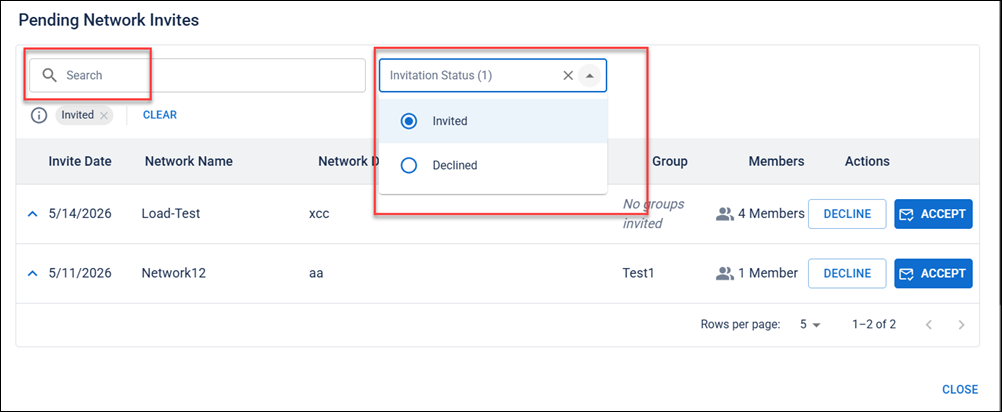
Users can now view network invites in a refreshed modal featuring a structured data table. A drop-down allows users to toggle between active invites and declined invites, updating the table accordingly. See View and Manage Network Invitations for details.
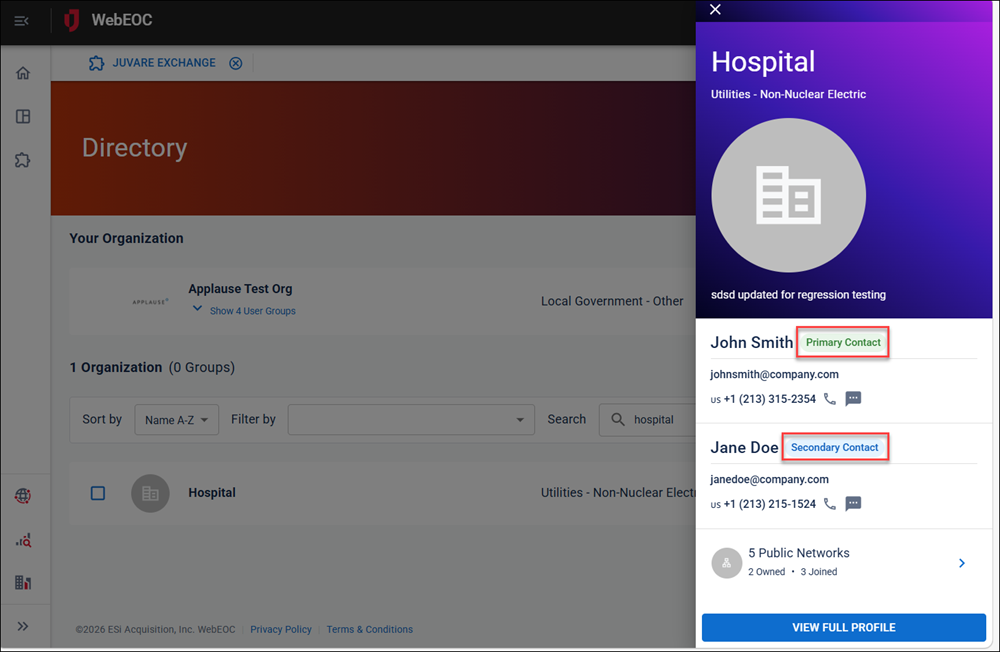
Organization Profile Slide-Out Panel
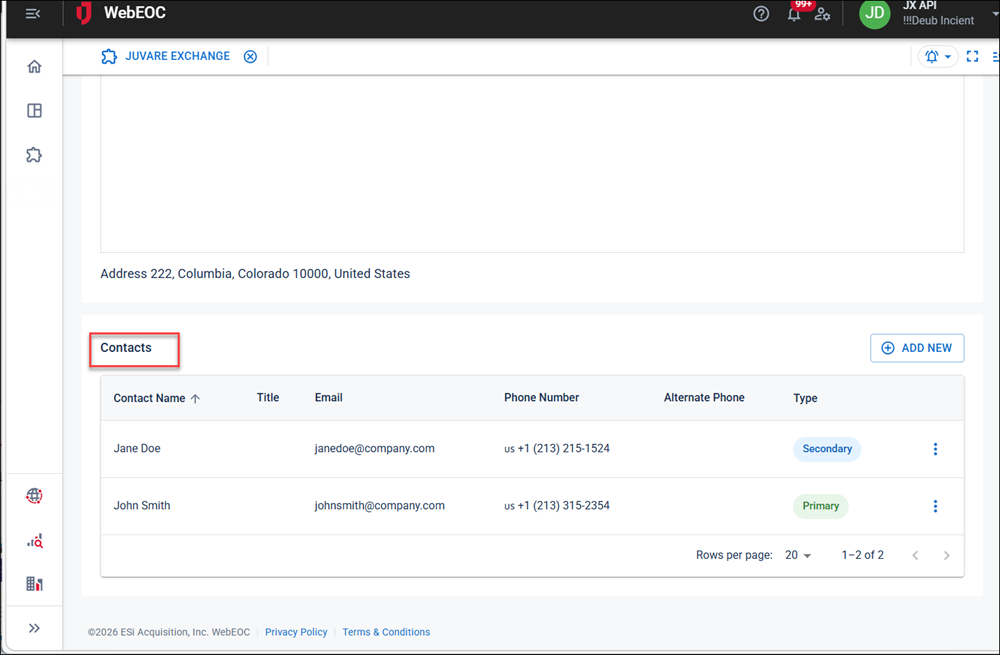
Administrators and users can now see primary and secondary contact information directly in the organization profile slide-out panel, making it easier to identify key contacts at a glance. See Update Your Organization Profile andView an Organization's Profile Information for details.
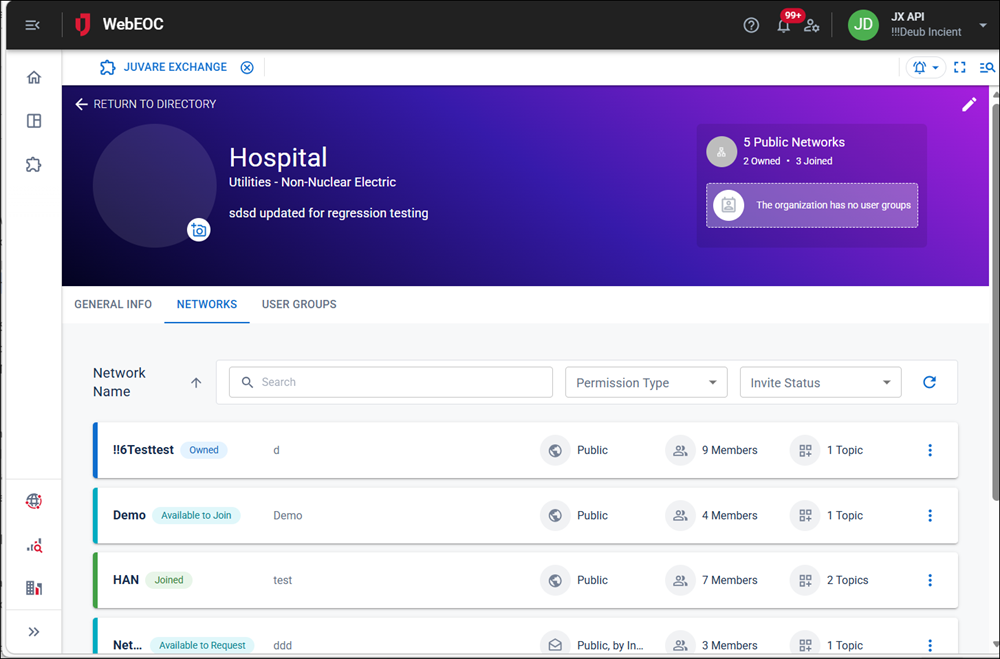
Organization Profile Networks List
The Networks tab of the organization profile page has been updated to display networks in a consistent list layout matching the main Networks page, including the same sorting behavior.
Network Invites List Table
The Pending Network Invites page has been updated to display invitations in a structured list table, providing a cleaner and more consistent experience while preserving all existing invite functionality. See View and Manage Network Invitations for details.
Network Invites Search and Filtering
Users can now search for specific network invites and filter results using a drop-down on the Pending Network Invites page, making it faster to find and manage pending invitations. See View and Manage Network Invitations for details.
Networks Page Search and Filtering
Users can now search and filter their networks by permission type and invitation status, and sort networks alphabetically by name directly from the Networks page. See Manage Networks for details.
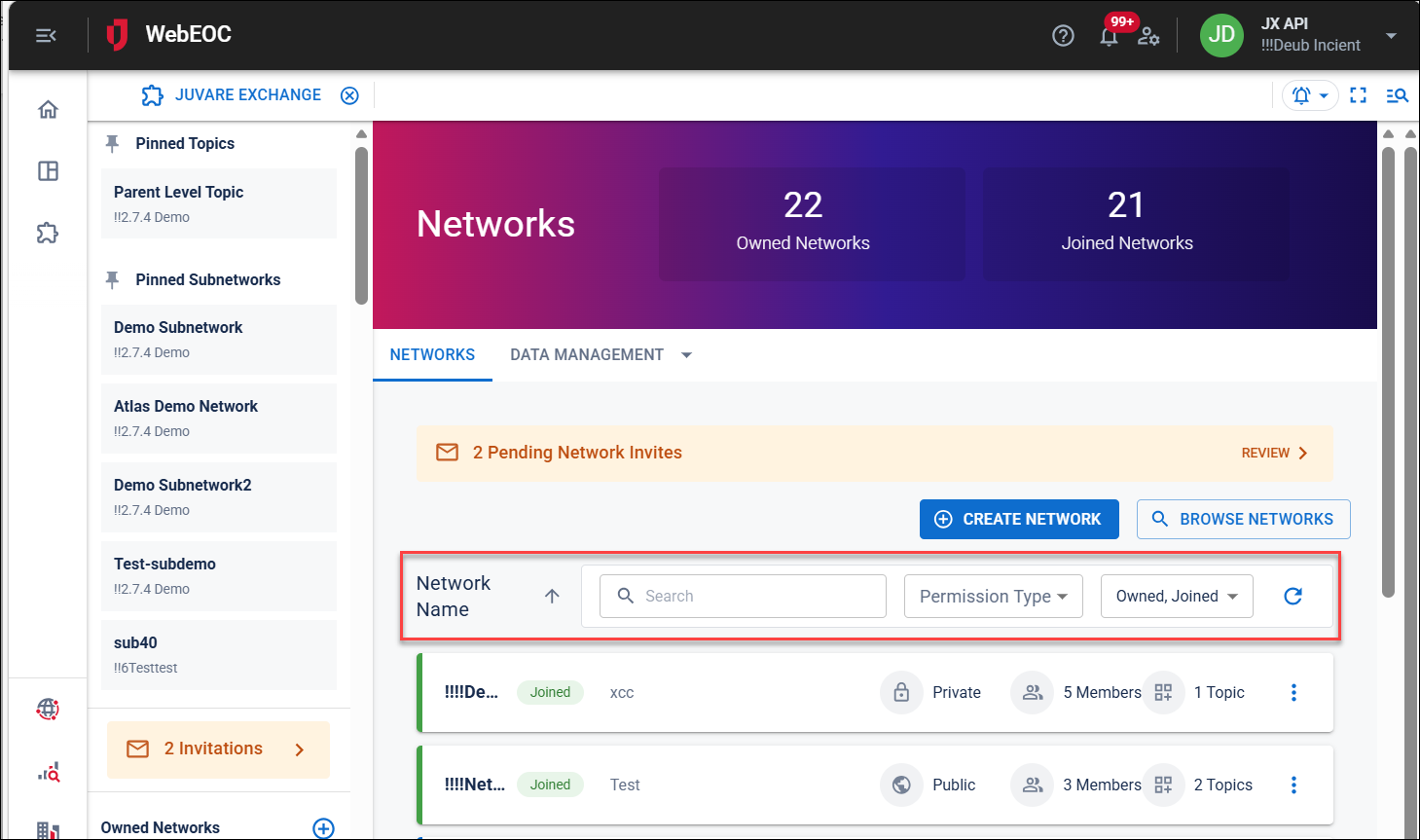
Browse Networks Workflow Update
The Browse Networks button has been moved to the top of the Networks page alongside the Create Network button, giving users quicker and more consistent access to discover new networks. See Manage Networks for details.
Primary Contact Designation
Administrators can now mark specific contacts as primary contacts for their organization, ensuring those contacts are prominently displayed on organization profile slide-out panels throughout the platform. See Update Your Organization Profile for details.
Contacts Context Menu Actions
Administrators can now take actions on existing organization contacts directly from a context menu, including editing, deleting, and assigning or removing primary and secondary contact status. See Update Your Organization Profile for details.
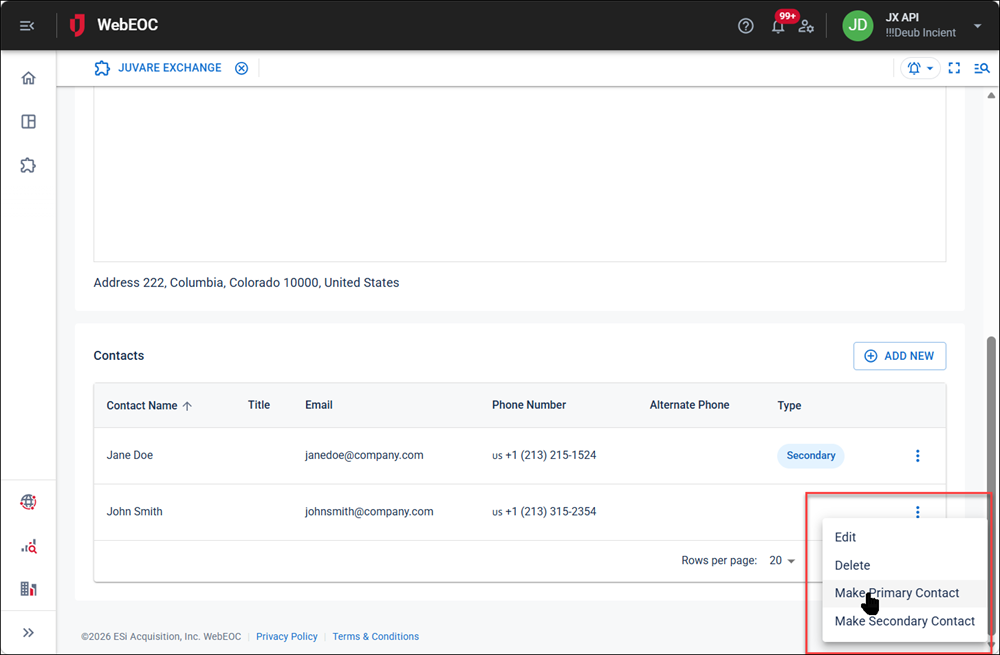
Organization Contacts Table Redesign
The contacts table on the organization profile page has been redesigned to clearly display primary and secondary contact designations, making it easier for administrators to manage and review their organization's contacts.
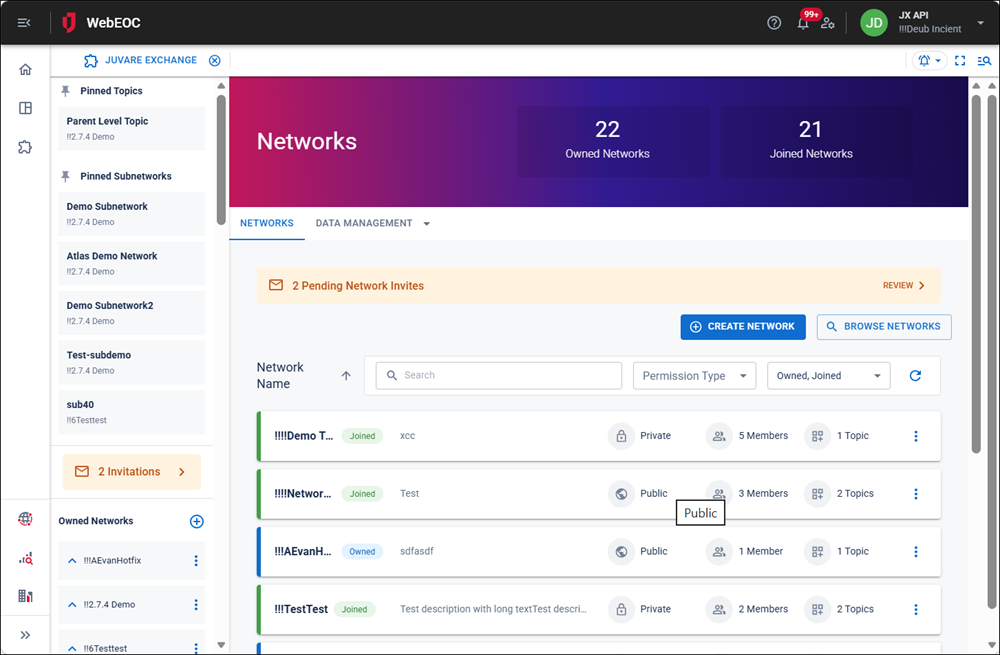
Networks Page List View
The Networks page now displays networks as a streamlined list instead of cards, providing a cleaner and more consistent view of owned and joined networks. See Manage Networks for details.
Board View Names in Subscriber Mapper
Subscribers can now see which of their local board views was used when subscribing to a shared data-only board, with multiple view names displayed in a stacked format within the subscriber mapper. See Map Data for a Shared Board for details.
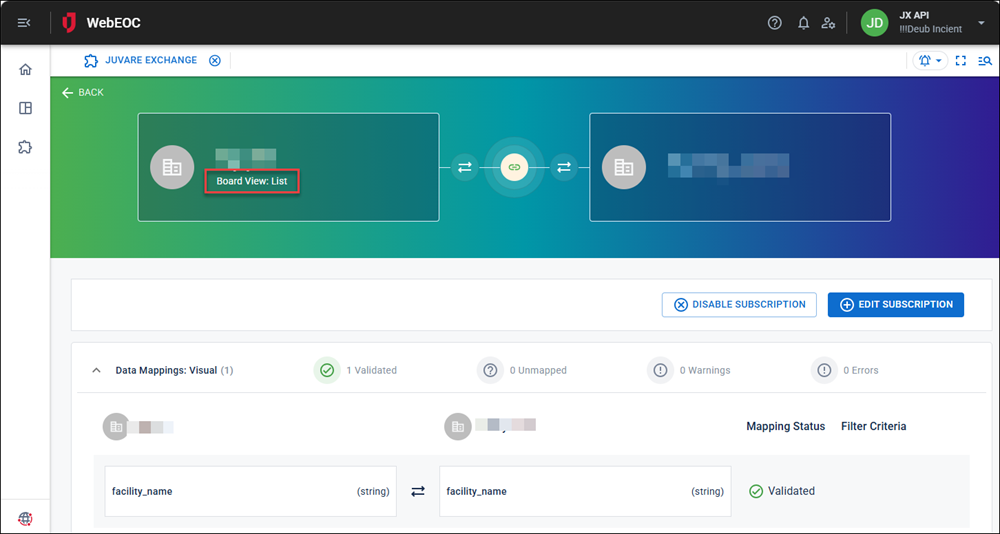
<multiplefileinput> Support in Board Sharing
Users can now share boards that include <multiplefileinput> field types using the Share Board wizard, which supports mapping and rule filters for <multiplefileinput> fields in the same way as standard file and attachment fields.
Publish Wizard Flow Improvements
The Board Publishing wizard has been updated with a streamlined step order — Data Flow, Board Details, then Field Selection — providing a clearer and more intuitive publishing experience. See Share a Board for details.
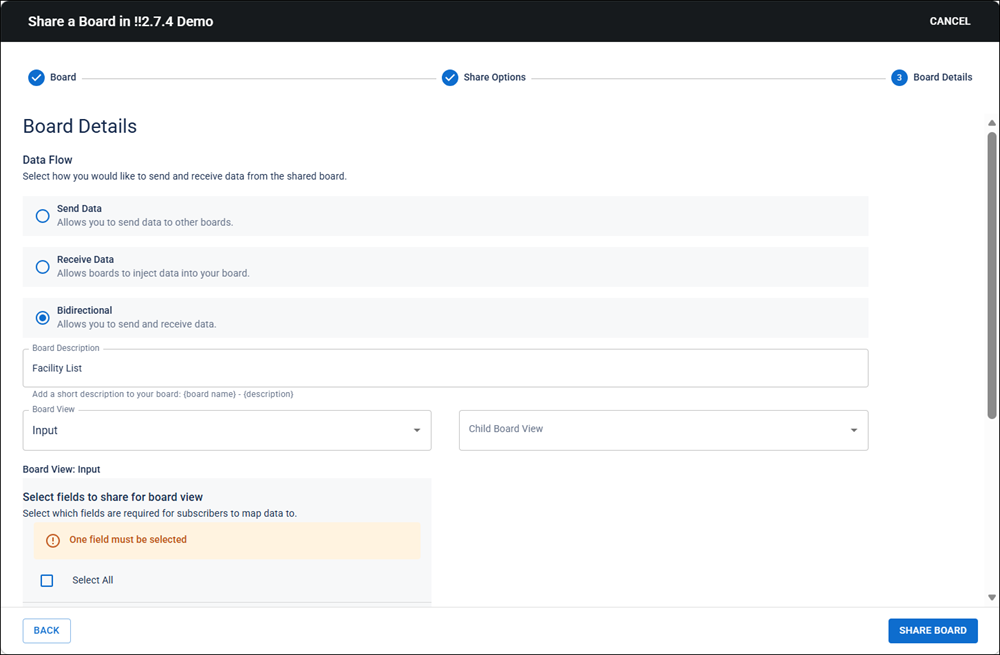
Parent-Child Data Mapping Support
Features related to parent-child views in Juvare Exchange (JX) require WebEOC Nexus 10.19 and later.
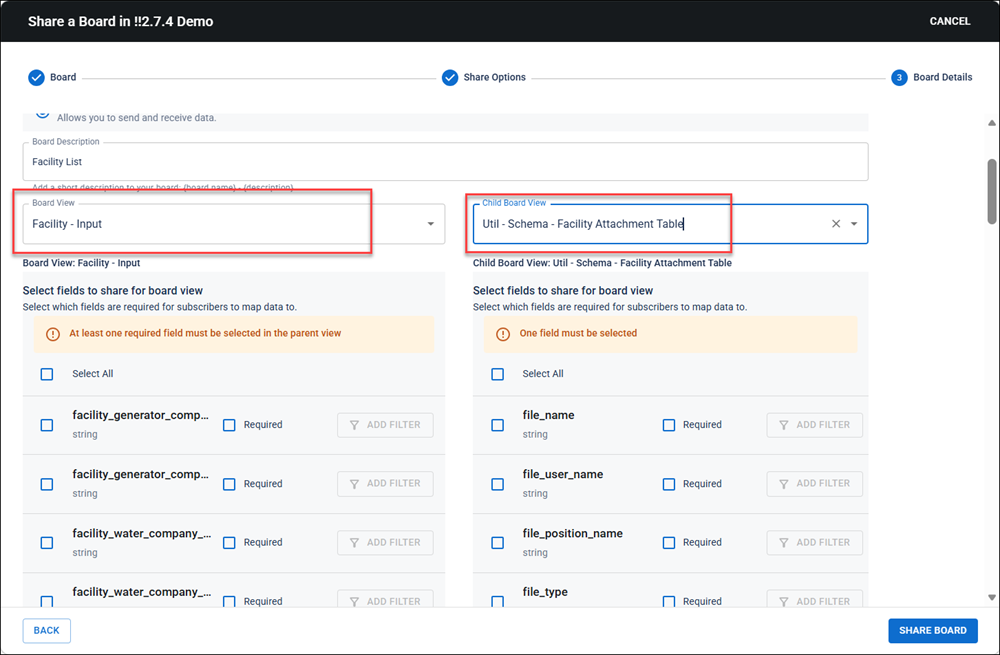
Administrators can now share and subscribe to boards with parent-child views. Administrators map parent and child views when sharing data across networks, ensuring that published child views are always paired with their required parent view for accurate and consistent data sharing. User subscriptions to boards with parent-child views are also supported. See Map Parent and Child Views when Sharing Data for details.
Child Table Field Selection
Publishers can now select specific fields from child views to share with the network, and will be prompted to ensure at least one parent view field is included alongside any child view fields. See Map Parent and Child Views when Sharing Data for details.
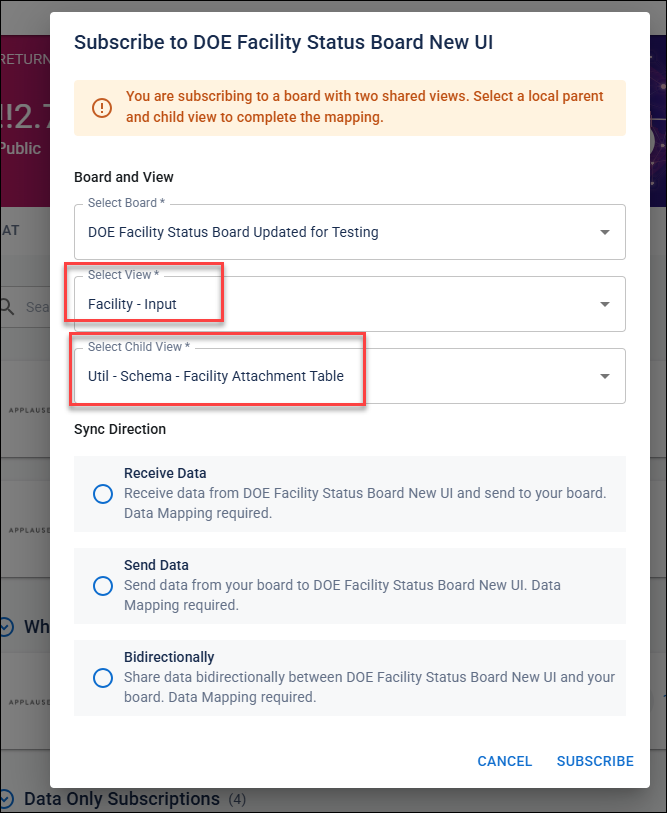
Subscriber Child View Selection
Administrators subscribing to a shared board can now select from available child views directly within the subscription modal, making it easier to receive the specific data relevant to their organization. See Subscribe to a Shared Board for details.
Previous Versions
Release notes for previous versions are available here.