Create a History View Nexus Component Styling
History views are only available with Nexus Component Styling.
You can create a History view and then add it to a List view. When you click a record and select View History from the more icon  , the slide-out panel displays a History tab with a history of the changes to that record.
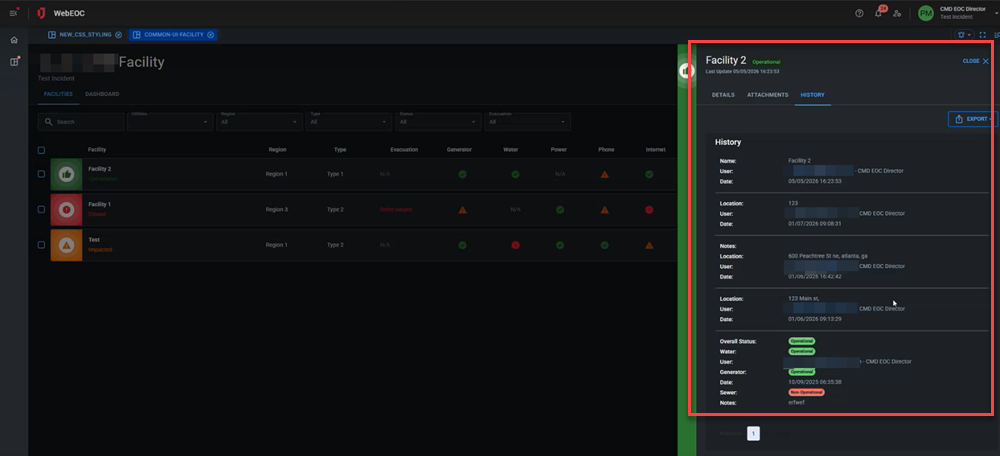
History views do not require any configuration, other than associating them with an Input view when creating the History view, and then associating the History view with a List view as part of List view creation.
To create a History view
-
Ensure you are in a view built using Nexus Component Styling.
-
Click the Create button and select History View. The History View dialog opens.
-
In the View Name field, enter the name of the History view.
-
In the Associated Input View drop-down, select the Input view or the Child input view associated with the History view.
-
Click Create.
After creating a History view, configure it with the History Configuration component.
Related Concepts
Related Tasks
View Child Data with the Child Table Component Classic Styling
Build a View Filter For a Display View
Add Tabs to Switch Between Views
Assign a Delete View to a List View Classic Styling
Create a Details View Classic Styling
Create a Details View Nexus Component Styling
Reference Materials