Add a Team
To add a new team
-
On the main menu, click
 Users. The list of users with their name, respective role, creation date, and creator name displays on the main page.
 -
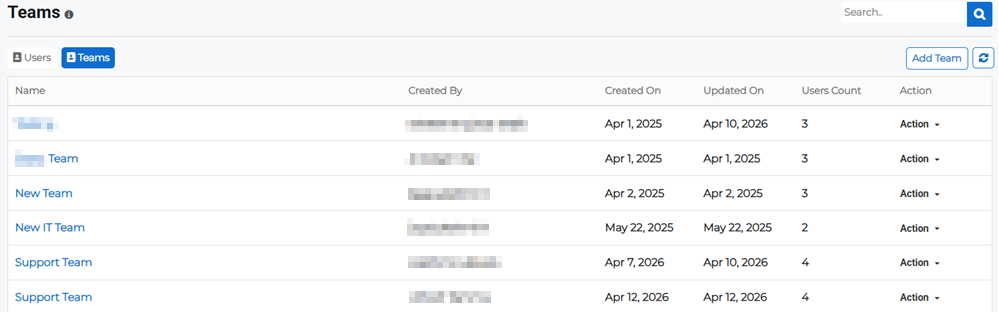
Click the Teams tab at the top of the users list to switch to the Teams page. The teams list displays all the teams that have already been created.
-
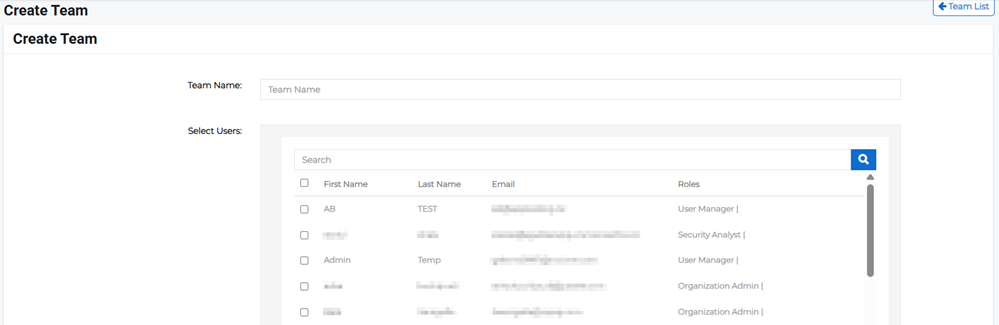
Click the Add Team button in the upper right. The Create Team page opens.
-
Enter a Team Name then select the users to add to this team.
You can search the list for a specific user's first or last name or the email address. The list populates as you type and provides results on partial search terms.
-
Click Save Team.