View Role Details
Permissions are assigned dependent on the role.
Each role on the Roles page displays the role name, how many users have been assigned the role, a brief description of the role, when it was created, and who created it. To view additional details:
-
On the main menu, click
 Roles. TheRolespage opens.
 -
Click the role name link. The role details page opens.
-
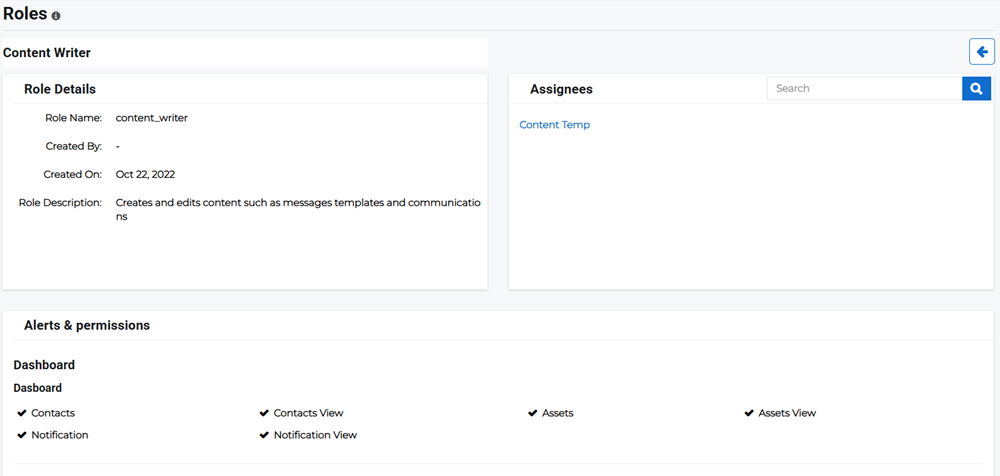
Review the role details and assignees for the role. If there is an extensive list of users under Assignees, you can also search for a specific user.
-
Review the Alerts & Permissions. This is where you can find which permissions have been assigned by the admin to this role.
If there is a checkmark shown alongside an entry, users with this role can access the page or perform the specified action.
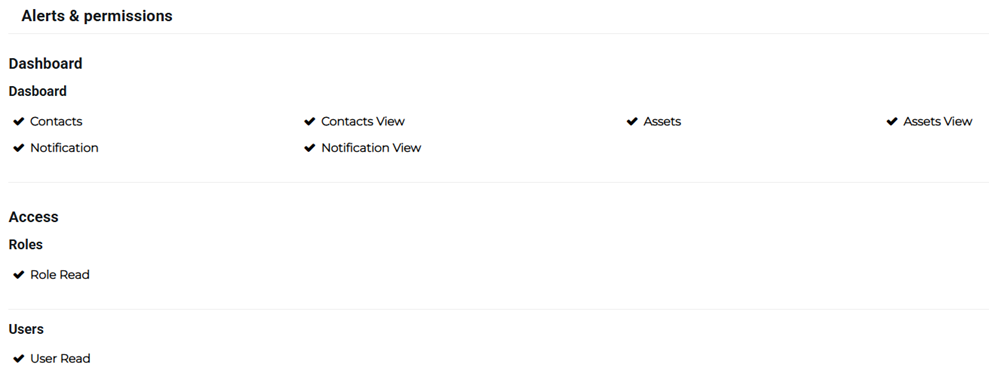
If the role does not have access or the ability to perform an action, it will not be shown on the page.