Create a Task List Template
An incident task list is a prioritized set of activities that need to be done to respond to, resolve, recover, and restore function during an incident. A task list contains specific tasks assigned to respective task owners and details on when the task needs to be done. Create an incident task list when a particular incident requires a sequence of tasks to be assigned to and executed by responsible members or teams.
To create a task list template
-
On the main menu, click
 Incident Management. The Incidents page opens.
 -
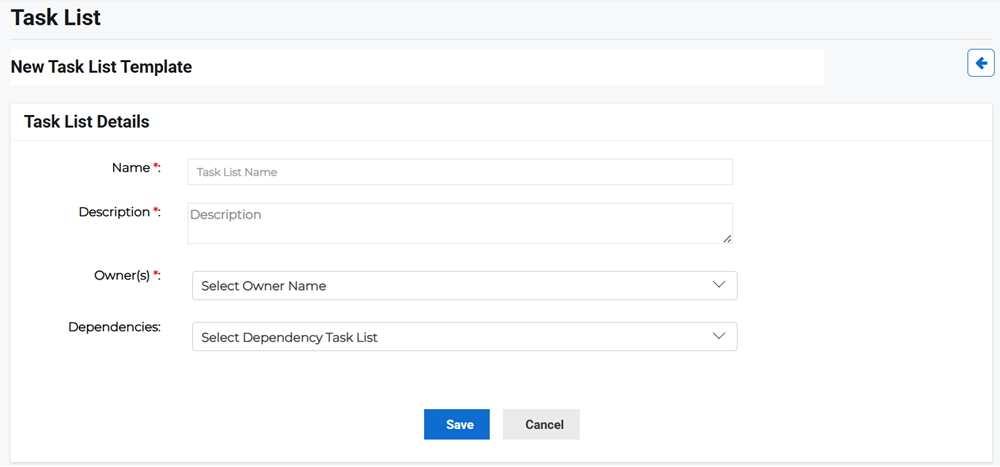
Click the Templates tab, then click Create Template and select Task List Template from the menu. The New Task List Template page opens.
-
Enter the following task list details:
-
Name: Enter the name of the task list.
-
Description: Enter the task list description.
-
Owners: Select the task list owners from the menu.
-
Dependencies: Select the task list dependencies from the menu. You can select multiple dependencies, if needed.
-
-
Click Save. After creating the new task list template, you are redirected to the task list on the Templates tab.
To add tasks
Once you have created your task list template, you must add tasks to it.
-
On the main menu, click
Incident Management. The Incidents page opens. -
Click the Templates tab, then click Task List to display the task list in the table.
-
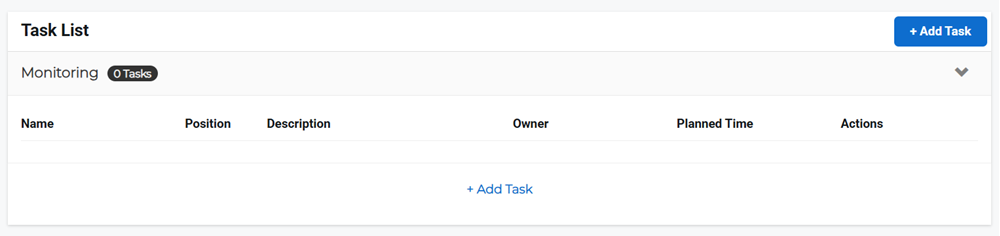
Click the task name link of the task list template to which you want to add tasks. The Task List page opens.
-
Click Add Task in the Task List pane.
-
In the new task slideout, enter the following details:
-
Name: Enter the task name.
-
Description: Enter the task description.
-
Owners: Select the task owner from the menu. This is who is responsible for the task being completed.
-
Planned Time: Click the calendar icon to specify the amount of time planned for the task to be completed.
-
Attachments: Select a file or link to a file location for additional information, if any.
-
Dependencies: Select a task that is a dependent on this one for completion, if any.
-
-
Click Save.
-
Repeat steps 3-5 as many times as required for this task list.