View Incident Analytics
Incident analysis is a process for identifying what happened, when, where, and why, as well as what can be done to reduce the risk of recurrence in future.
Incident analytics contains aggregated incident statistics displayed in a variety of graphs and charts you can use to analyze the history of your incident response over time.
The latest incident analytics can be displayed by clicking the refresh  button in the upper right.
To view incident analytics, on the main menu, click  Incident Management then click the Analytics tab and scroll down to the graph showing the information you are looking for. Expand the headings below for more information on each section.
You can search between dates for specific information.
 Incident Analytics
You can view the total number of incidents launched, the Mean Time to Acknowledge (MTTA) incidents, and the Mean Time to Resolve (MTTR) incidents.

-
Mean Time to Acknowledge: The average time taken from when an alert is triggered to when the work begins on the alert. This metric is useful for tracking the alert system's efficiency and the team's responsiveness. MTTA is calculated by adding up the time between the alert and the acknowledgment, then dividing by the number of incidents.
Example If you had 10 incidents and there was a total of 60 minutes of time between alert and acknowledgment for all 10, you divide 60 by 10 for an average of 6 minutes.
-
Mean Time to Resolve: The average time taken to fully resolve an incident. This includes the time spent detecting the incident, diagnosing and fixing the issue, and ensuring that the incident does not recur again. It is the difference between extinguishing a fire and fireproofing the vulnerable area post-extinguishing.
Incident Trends
-
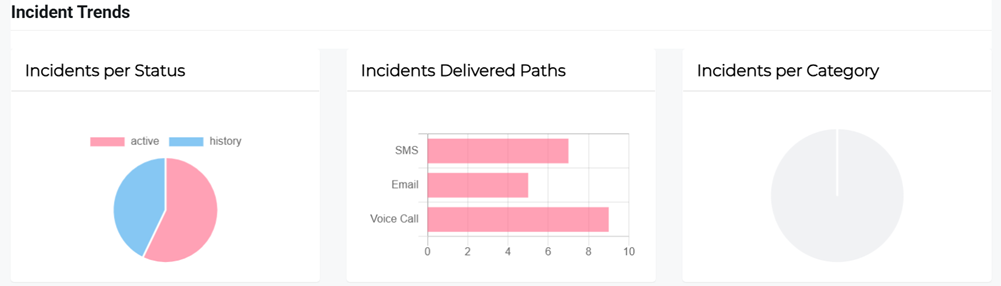
Incidents per Status: The ratio of incidents per status (Active and History).
-
Incidents Delivered Paths: The number of incidents according to their delivery paths (SMS, email, Voice Call).
-
Incidents Per Category: The ratio of incidents per category type.
-
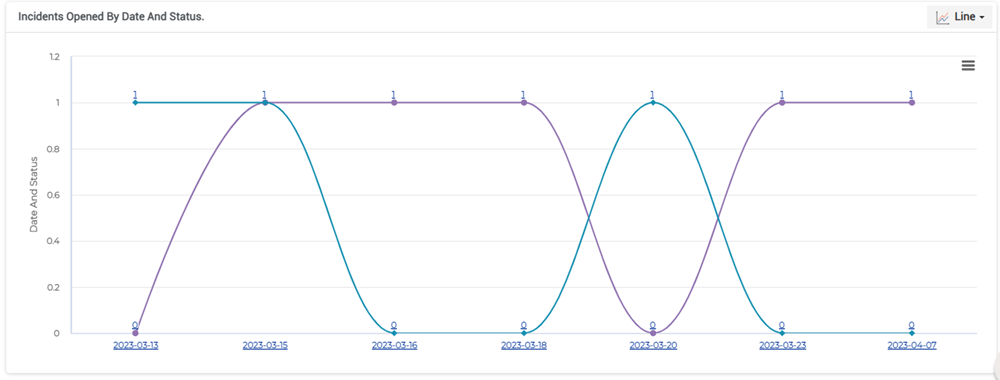
Incidents Opened by Date and Status: The number of incidents opened by date and status (Active and Inactive).
-
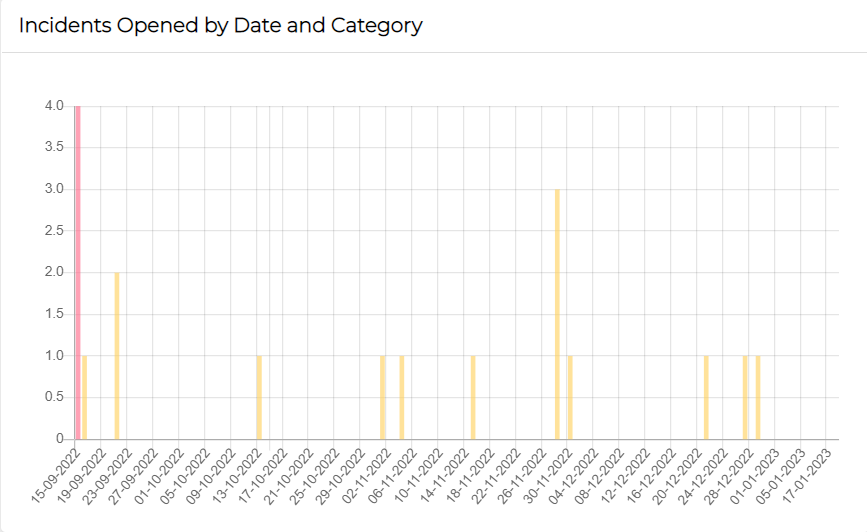
Incidents Opened by Date and Category: The number of incidents opened by date and category.
Mean Time Analysis
MTTA shows how responsive the support teams are to incidents. A low MTTA means acknowledging and responding to the incidents that impact the critical processes in a timely manner. This results in less downtime, fewer disruptions, and happier customers.
A high MTTA means the support team takes a longer time to acknowledge incidents or that responders are not responding or available when they receive an alert. This could be due to extended shifts or overwhelming alerts.
To lower MTTA, an appropriate escalation process can be put in place to offer additional resources, if the first in line responders fail to address incidents in the specified timeframe. Monitoring MTTA provides insights into how to make long-term improvements to team responsiveness and streamline incident management efforts.
-
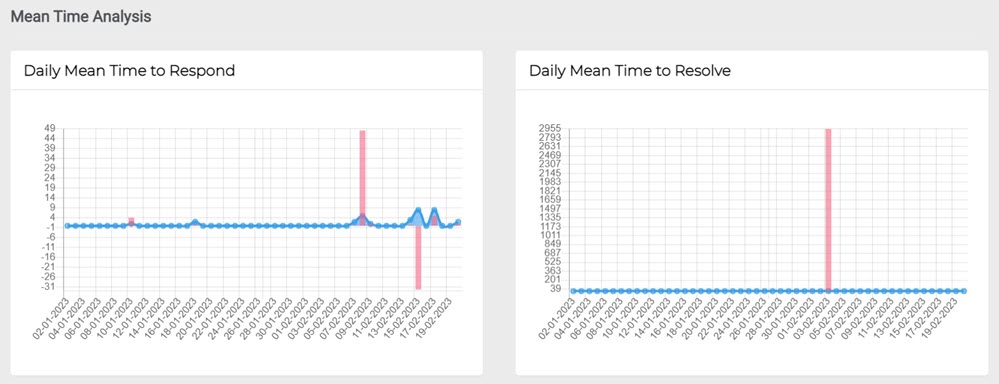
Daily Mean Time to Respond: The average time (daily) to recover from issues or failure from the time when the first alert is received.
-
Daily Mean Time to Resolve: The average time (daily) it takes to fully resolve a failure. This includes the time spent on detection, diagnosis, and resolving, along with ensuring that the failure would not recur.
Responded Analysis
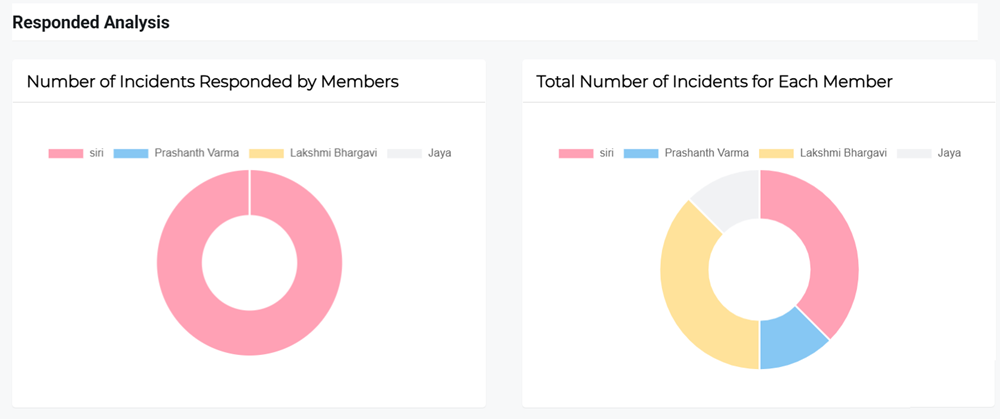
Responded Analysis: This graph gives you the details of the number of incidents that are responded to by teams and total number of incidents per team.
View an incident report
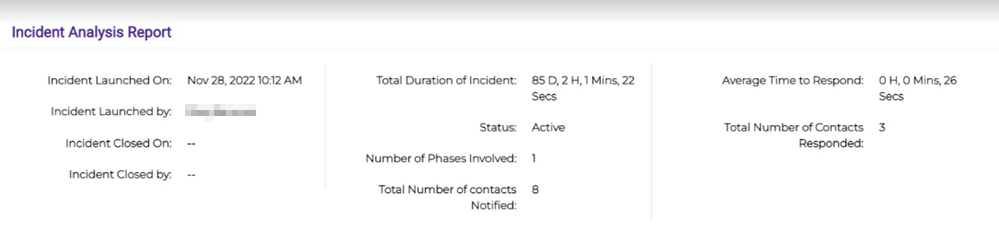
The complete report with incident analysis, delivery paths, and recipients. The report is segmented into multiple sections. Every section shows the respective details, such as details related to incident creation and launch date and time.
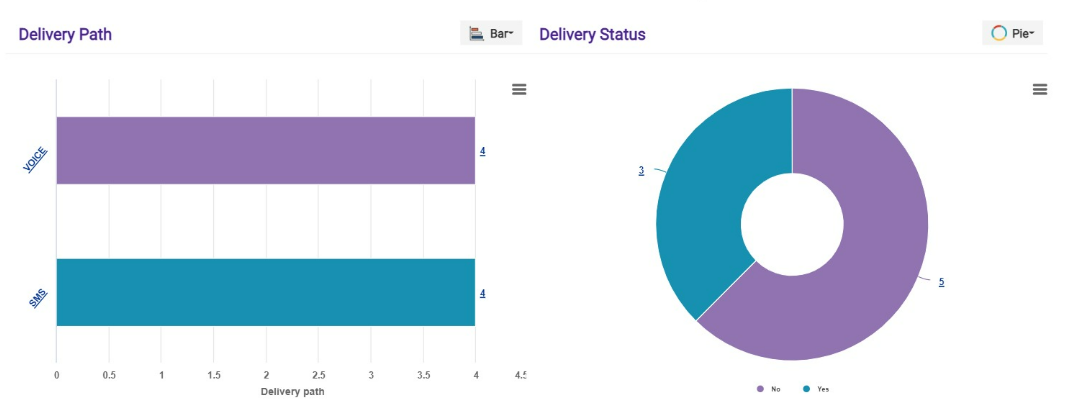
This section shows the details related to delivery paths and delivery status in a pictorial representation.
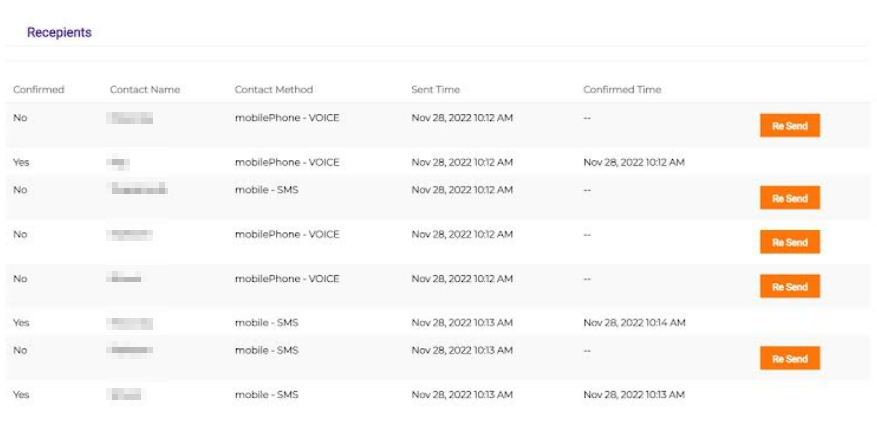
This section shows the details related to recipients used for notification and their respective delivery method, sent time, and confirmed time.