Create and Manage Events
Events are the various categories of business disruptive events, such as facility closures, power outages, IT network or communications outages, or transport disruption.
To manage or add new events, follow the instructions by expanding the headings below.
 Create a new event
-
On the main menu, click
 Settings. The Portal Settings page opens.
 -
Click the Resilience Settings tab, then click Events on the left.
-
Click New Event.
-
Enter the Event Name.
-
Select the Setting Type.
-
Click Add.
Edit an event
-
On the main menu, click
Settings. The Portal Settings page opens. -
Click the Resilience Settings tab, then click Events on the left.
-
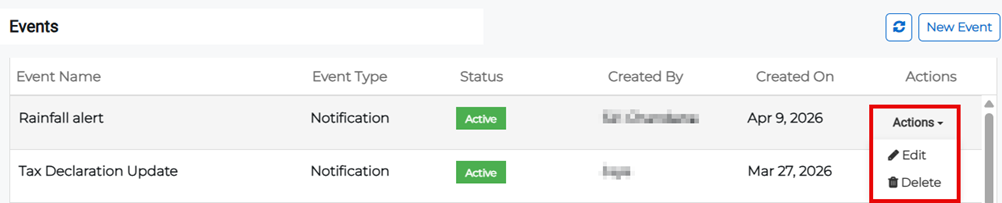
Click the Actions button next to the appropriate event then select Edit from the menu. Click Update when finished.
Delete an event
-
On the main menu, click
Settings. The Portal Settings page opens. -
Click the Resilience Settings tab, then click Events on the left.
-
Click the Actions button next to the appropriate event then select Delete from the menu.
-
Confirm the deletion.
Related Concepts