Manage Incident Templates
The list of incident templates can be refreshed using the refresh  button in the upper right.
To manage incident templates, follow the instructions by expanding the headings below.
 Edit template
-
On the main menu, click
 Incident Management. The Incidents page opens.
 -
Click the Templates tab, then click the Incidents button on the upper right of the table.
-
Click the template name link in the list. The template details page opens.
-
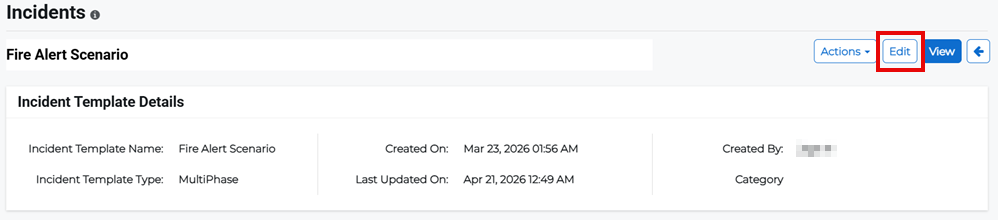
Click Edit.
-
Edit the appropriate details then click Submit.
Copy template
-
On the main menu, click
Incident Management. The Incidents page opens. -
Click the Templates tab, then click the Incidents button on the upper right of the table.
-
Click the template name link in the list. The template details page opens.
-
Click the Actions button in the upper right then select Copy from the menu.

Delete template
-
On the main menu, click
Incident Management. The Incidents page opens. -
Click the Templates tab, then click the Incidents button on the upper right of the table.
-
Click the template name link in the list. The template details page opens.
-
Click the Actions button in the upper right then select Delete from the menu.
-
Confirm the deletion.
Related Concepts
Related Tasks