Manage Equipment
The list of equipment can be refreshed on the screen using the refresh  button in the upper right.
To manage equipment, follow the instructions by expanding the headings below.
 Edit equipment
-
On the main menu, click (missing snippet link). TheEquipmentpage opens.
-
Click the equipment name or ID links. The equipment's details page opens.
-
Click the edit buttons
 for any of the sections within the page that you want to edit.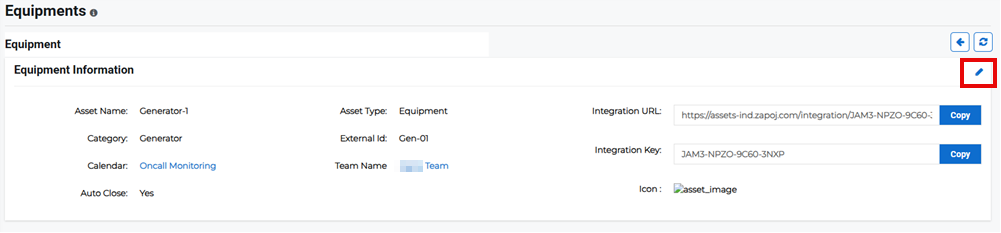
-
Edit the details then click Save.
Alternatively, on the Equipment page, click the Actions button for the appropriate equipment and select Edit from the menu. The equipment's details page opens.
Delete equipment
-
On the main menu, click (missing snippet link). TheEquipmentpage opens.
-
Click theActions button for the appropriate equipment and select Deletefrom the menu.
-
Confirm the deletion.
Related Concepts
Related Tasks