Azure
Reference link: Install Azure Cli Linux
 Install Azure on the server
-
Enter
sudo apt-get install ca-certificates curl apt-transport-https lsb-release gnupg -
Enter
curl -sLhttps://packages.microsoft.com/keys/microsoft.asc| gpg --dearmor | sudo tee /etc/apt/trusted.gpg.d/microsoft.gpg > /dev/null -
Enter
curl -sLhttps://packages.microsoft.com/keys/microsoft.asc| gpg --dearmor | sudo tee /etc/apt/trusted.gpg.d/microsoft.gpg > /dev/null -
Enter
echo "deb [arch=amd64]https://packages.microsoft.com/repos/azure-cli/$AZ_REPO main" | sudo tee /etc/apt/sources.list.d/azure-cli.list -
Enter
AZ_REPO=$(lsb_release -cs) echo "deb [arch=amd64]https://packages.microsoft.com/repos/azure-cli/$AZ_REPO main" | sudo tee /etc/apt/sources.list.d/azure-cli.list -
Enter
apt-get install azure-cli -
Enter
sudo apt-get install azure-cli -
Enter
az login.
After this command, a code generated for authorization enters this code on the given URL. You need to select an account for login.
If the account has a free trial membership, then it shows details of the login user details.
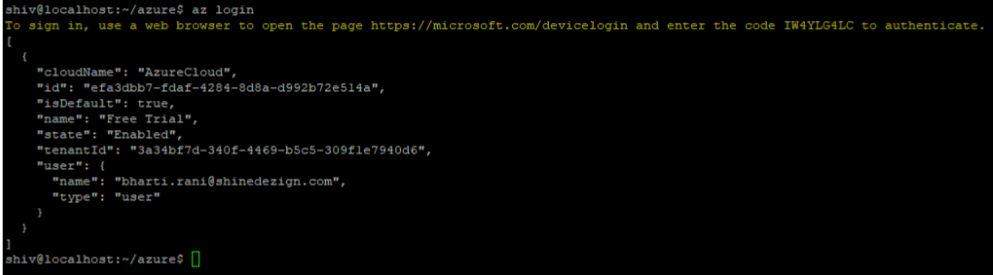
Otherwise it shows an error message
